 LLCAR
LLCAR
Understand first. Then change!
Understand your car, notice changes and service it on time. LLCAR helps extend the life of your vehicle, cut unnecessary expenses and treat resources with more care.
At the foundation — OBD-II onboard diagnostics data. At the center — care for your car and the environment.
LLCAR · an app for your vehicle
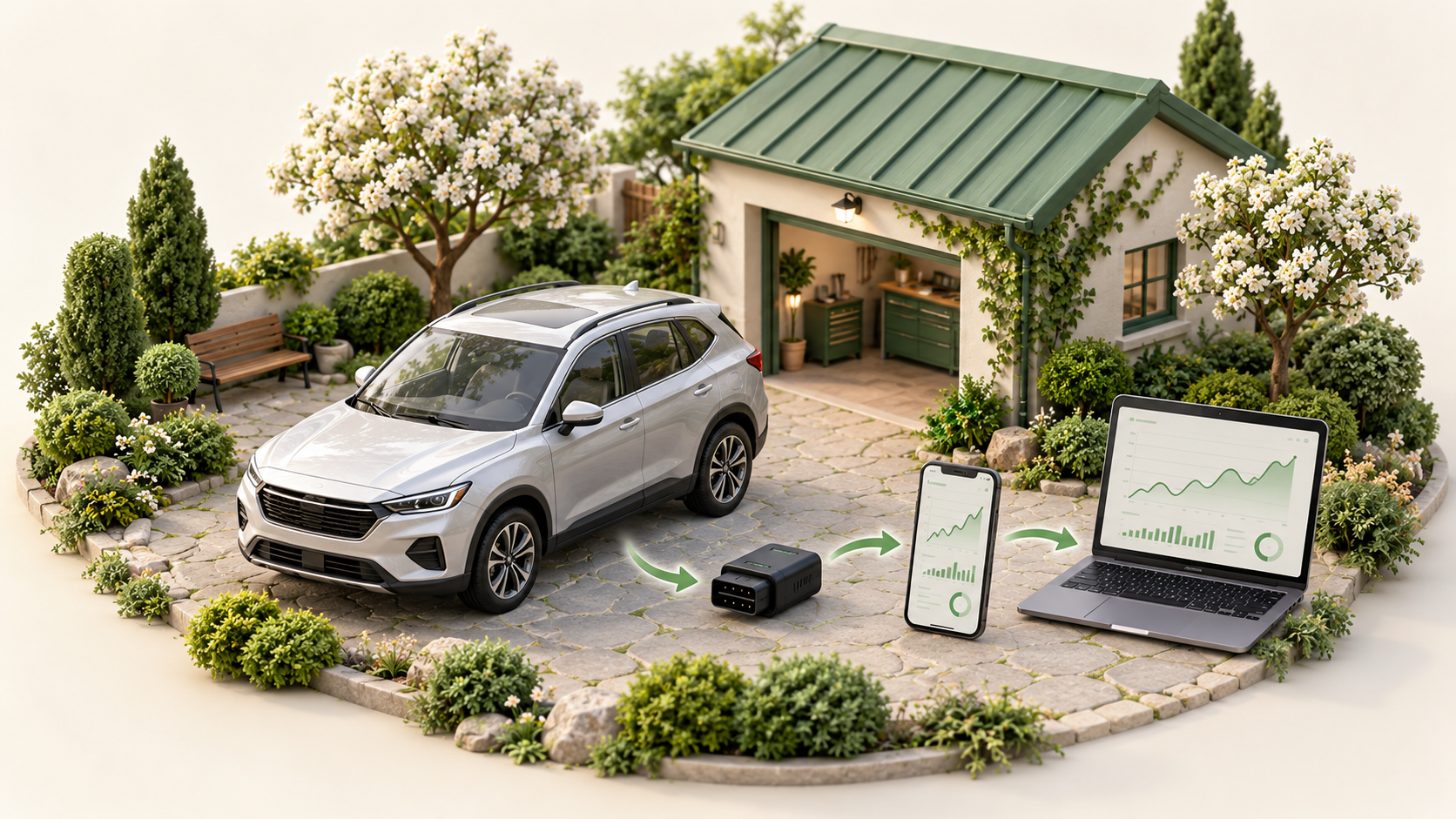
Readings over time — the basis for maintenance and repair decisions
-
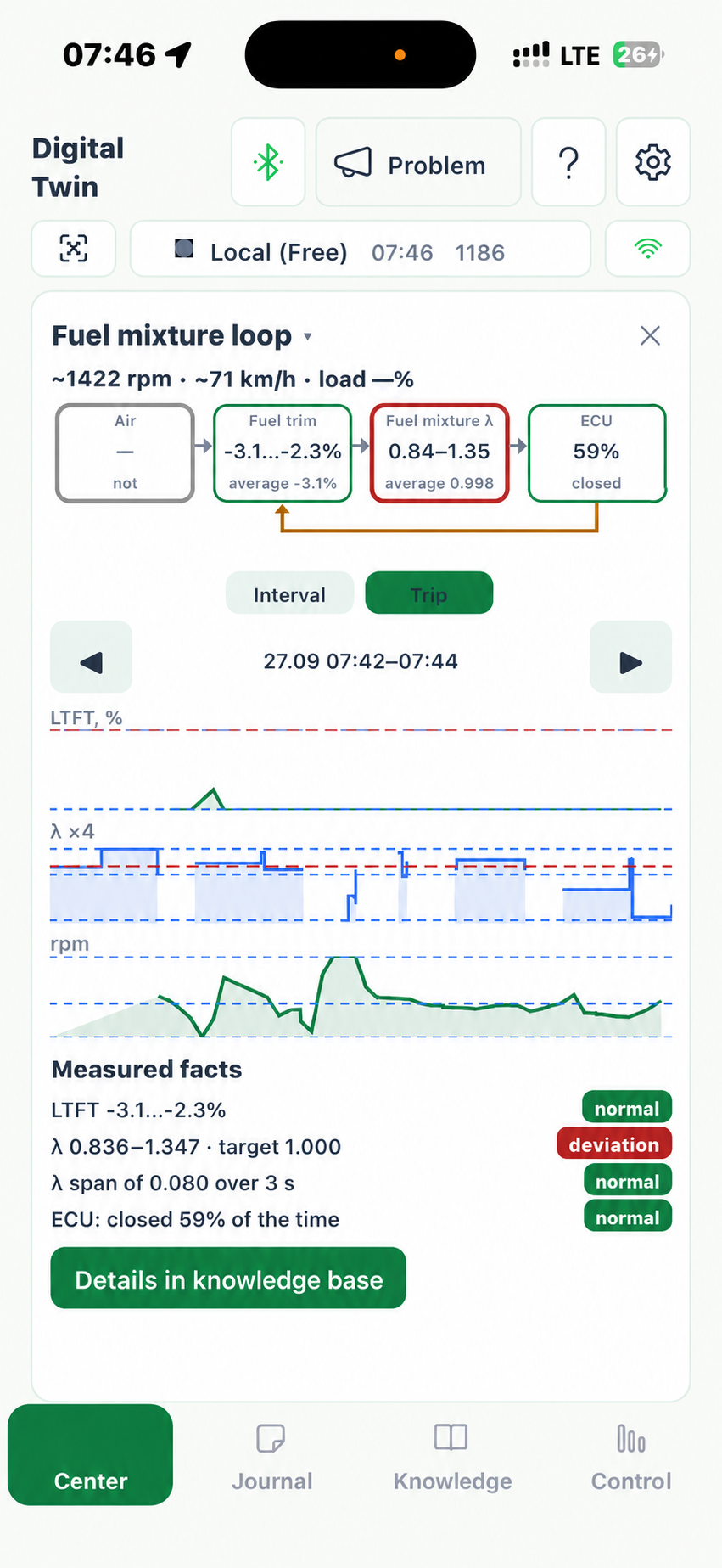
Understand your car
Temperature, RPM, voltage and other available metrics — on clear charts. See what changes at startup, warm-up or on a trip.
See an example of readings → -
Notice rising fuel consumption
LLCAR helps you see rising fuel consumption and persistent changes in engine readings from your trip history. This makes it easier to spot signs of worsening system performance and deal with them in time.
View fuel consumption comparison → -
Plan maintenance
LLCAR calculates the remaining time and mileage until the next maintenance and keeps a history of replacements and repairs. Everything you need to plan maintenance — in one place.
View maintenance history →


Phone and cabinet
What the app looks like
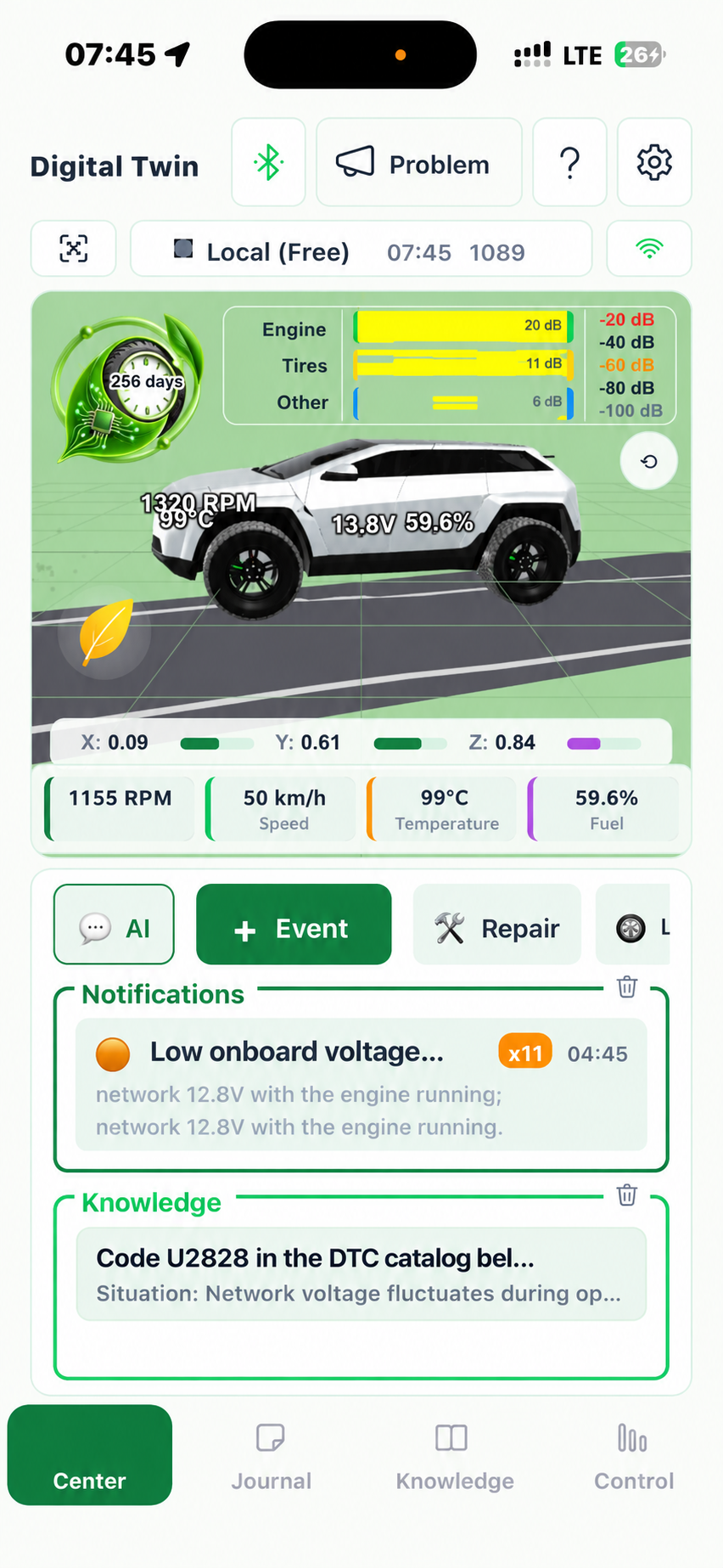
- Digital twin
- Temperature, RPM and notifications in front of your eyes. Choose the available sensors and their order to keep an eye on what matters for your car.
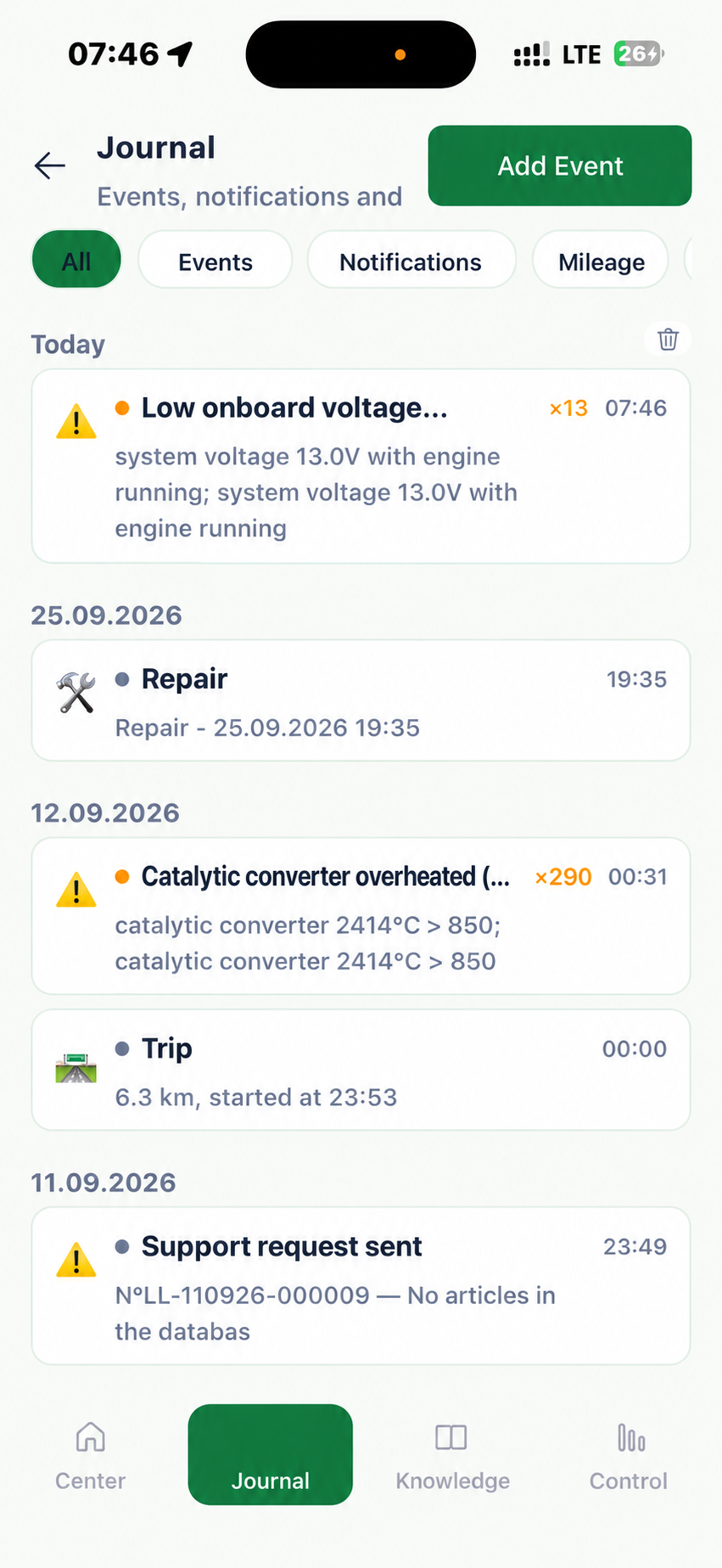
- Event log
- Find the trip you need and see what was happening at the moment of the complaint. The history helps reconstruct the events before the service visit.
- Readings breakdown
- Compare graphs and check results to discuss possible causes with the mechanic and understand what to check next.
Screens open larger on tap.
Swipe through the screens →
Plan your maintenance, save what's been done
Enter the date and mileage of the last maintenance. In the cabinet you can see the estimated remaining time/distance until maintenance and save completed work in the repair log.
The due date hasn't arrived yet
A green sign means there's still margin left according to the selected service table. Check the remaining days and kilometers to plan a visit in advance.
Time to plan maintenance
A yellow sign means the estimated due date is approaching. Clarify which work is needed: for example, an oil change, filters, or fluids.
The estimated due date has passed
An orange sign means the interval has already expired. Check that the maintenance record is up to date; after servicing, save the date, mileage, and work performed.
From simple to complex, from inexpensive to more expensive
- Before repairSaved readings and your observations help reconstruct when and under what conditions the problem appeared.
- Work performedThe history of checks, replacements, and repairs stays with you. It's easy to find what has already been done to the car and return to the results.
- After repairComparing records helps assess the result: how the readings and fuel consumption changed, and whether the previous problem recurs.
- Vehicle health passportA transparent history of maintenance and readings will help when selling the car. LLCAR compiles the selected records and check results into a document for the buyer. You decide what to include and how long access lasts.

Who it's for
For your own car, family access, and a work fleet
- For the owner. Save symptoms and readings, prepare for a conversation with the service, and compare the result after repair.
- For the family. Share access to the car with family members so they can see its data, help in time, or look into a problem.
- Mechanic. See the conditions under which complaints arise, measurement data, and the service history for a specific vehicle.
- Fleet manager. Collect vehicle issues in one workspace, assign jobs, and track their completion.
View a fleet exampleFor fleets: capabilities and pilot (PDF)
Yard and city
Yard and city in the care program
Caring for a car becomes a sequence of small steps: observation, a check plan, and comparing the result. Explore the yard and the city in the demo.


Details
Fuel trims: from chart to check
STFT and LTFT: what the record shows
STFT is the short-term fuel delivery trim based on oxygen sensor feedback. LTFT is the accumulated adaptation for the corresponding operating mode. Positive values indicate increased delivery relative to the base calculation, negative values indicate reduced delivery. Both trims should be examined, and with multiple cylinder banks — each bank separately.
How to compare readings
For assessment, select segments with a warmed-up engine and active closed-loop mixture control. Compare identical operating modes by RPM and load; idle and driving under load are examined separately. A stable dependence of the trim on the operating mode helps determine the direction of the check.
What before-and-after comparison provides
After eliminating the cause, check how the trims change in the same modes and take the state of the adaptations into account. LLCAR keeps the records so that the comparison relies on measurements. Fuel consumption is assessed separately from consumption records: the trim percentage is not equal to the overconsumption percentage.
How changes affect consumption
The chart helps spot changes in engine operation. Comparing consumption shows how much fuel and money went into trips before and after the service.
Select the vehicle's records for two periods. Fuel volume is calculated from consumption records; the price per liter is needed to see costs in rubles.
Open consumption by vehicle records →How the cost of trips changes
Comparison over the same distance at a price of 65 ₽/L.
- Before · 50 L per 500 km
- 10 L/100 km
- After · 45 L per 500 km
- 9 L/100 km
Over 500 km — 5 liters and 325 ₽ less.
Open the comparison example →Questions and Answers
Frequently Asked Questions
 Frequently Asked Questions
Is LLCAR suitable for my vehicle?
The set of available metrics depends on the vehicle and the adapter. Check the connection for free in Lite mode before paying.
Do I need to buy anything besides the subscription?
Yes, an OBD-II adapter (ELM327 or compatible) is purchased separately. The Android installation file is available on the connection page; availability on other platforms can be confirmed with support.
Will the app find the fault by itself?
Diagnostics helps distinguish possible causes and choose the next check based on the available data. A hypothesis requires confirmation; after the work, the result is verified with new measurements.
Is there a trial period?
No free trial period is provided. Current readings are available for free in Lite, while the subscription adds history and analysis.
Where can I read the full terms?
Open the service description and rates or the privacy policy.
Free and paid
Two levels
Lite
0 ₽
- Current readings from the basic sensors
- No analysis and no server-side history storage
- Suitable for checking adapter and vehicle compatibility
Subscription
490 ₽ / 30 days
or 3 990 ₽ / 365 days · per vehicle
- Everything from Lite + vehicle history storage on the server
- Viewing saved data for the selected period
- Analysis of changes over the paid period